
20/11/2025
Designing your app for the world: what’s worth doing early (and what isn’t)
Disclaimer
Don’t hard-code your strings — it turns into awful debt later.
Use basic locale tools for dates and numbers, nothing fancy.
Give your UI some breathing room so text can grow.
Forms get tricky fast once you go global.
Build only what you need now, but don’t block future changes.

Let’s be honest for a second.
A lot of advice about “building global apps from day one” sounds like it came from someone giving a TED Talk, not someone who actually ships products under deadlines.
The truth is:
- Sometimes you should plan for the world early.
- Sometimes it’s totally fine to launch in one country and fix things later.
And sometimes you think you’re building globally - but you’re really just overengineering your app.
This article should clear the fog.
Why global thinking matters… but not everywhere
Let’s start with the part everyone agrees on: the world is your market.
Even a small mobile game built in your basement could suddenly get picked up in Brazil or Vietnam. A productivity app built for some local business could go viral in Germany. Sometimes the internet decides your audience for you.
But:
You shouldn’t build a global-ready app everywhere just for the sake of “best practices.”
Sometimes "ship and fix later" is the actual best practice.
So the question becomes:
Where does global planning give you value?
And where is it just extra homework you don’t need right now?

Let’s break it down.
1. Text and translations: Do this early (it hurts later)
If there is one global thing worth doing early – no matter what, it’s this:
Don’t hard-code your strings.
This is the classic “future tech debt nightmare” starter pack.
When all your user-facing text lives inside your code, adding languages later is like trying to remove raisins from sernik. You will miss some. Your users start sending long passive-aggressive messages.
Why do this early?
Because fixing it later is painful, boring, and expensive - exactly the kind of combination no team enjoys.
Why skip it early?
The only good reason:
You’re building a tiny prototype that may not survive two weeks.
If you’re not sure this app even deserves to be properly maintained, don’t plan its publish date.
2. Dates, numbers, currencies: Only do what you need (For now)
Should your app support every global date format from day one?
No.
You don’t need a calendar that pleases timekeepers in 200 countries.
But here’s what is worth doing:
- Don’t hard-code formats
- Use built-in libraries that already handle localization
- Store times in a consistent format (e.g., UTC)
That’s it.
This gives you the flexibility to expand later without architecting a NASA-grade time system for a to-do list app.
When should you do more?
If your app handles:
- bookings
- payments
- schedules
- invoices
- recurring events
These are places where getting dates wrong means losing money.
That’s when you plan earlier, not later.
3. UI flexibility: do enough to avoid future panic
You don’t need to build a perfect multilingual layout early.
You’re not designing the United Nations’ website.
But you should avoid the traps that make future localization impossible, like:
- Hard fixed widths for text elements
- Buttons that rely on short English words
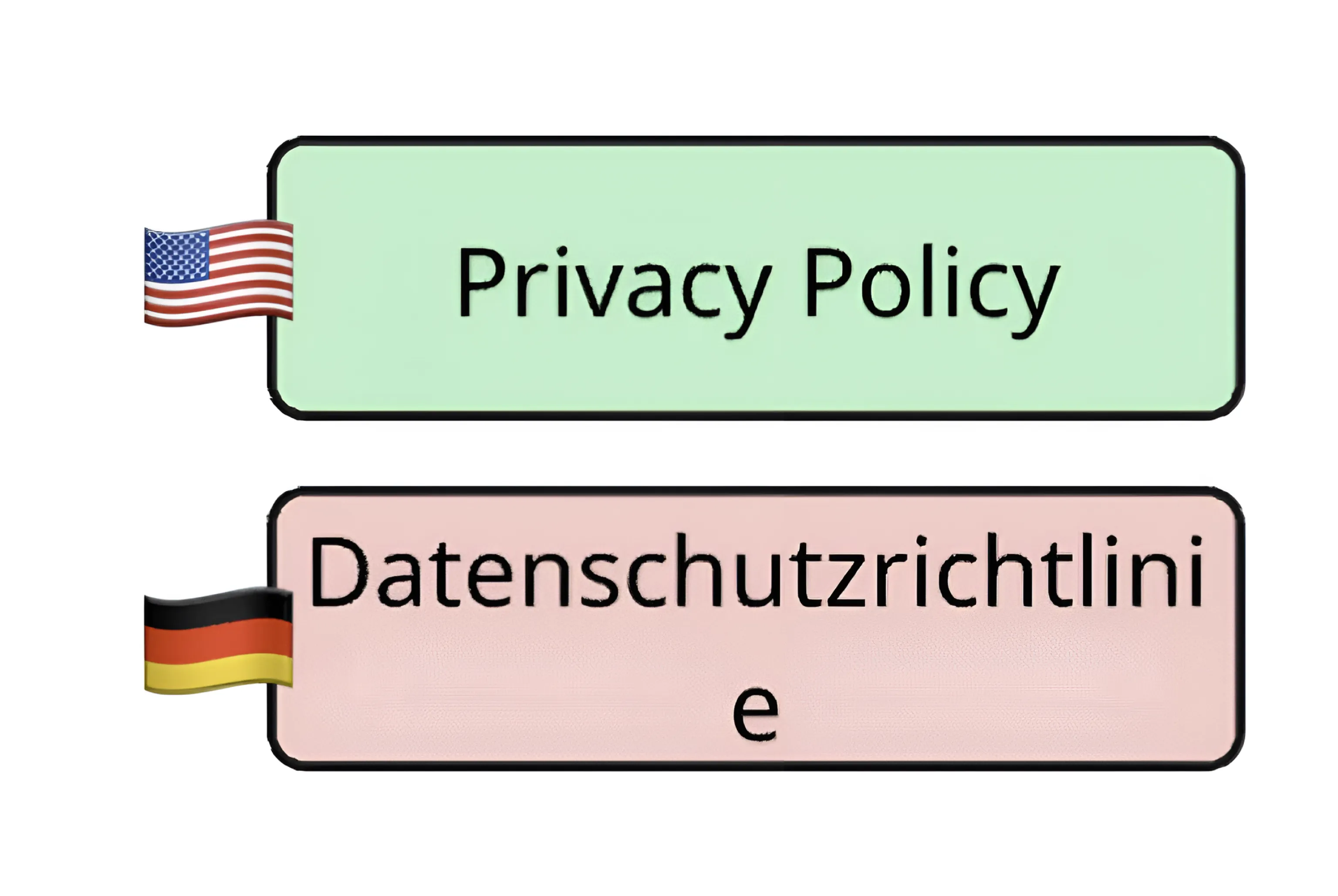
- UI designs that break when text grows by 30%
- Images that contain embedded text
A little flexibility goes a long way.
You don’t need to solve every case.
Just don’t paint yourself into a corner.
When is it okay to ignore this?
When your product is:
- content-light
- locally focused
- very early stage
- more visual than textual (e.g., a fitness app full of icons)
Then you can worry less.
Text expansion isn’t going to ruin your life (just) yet.
4. Addresses, names, and forms: Be careful - this gets weird fast
If your app includes forms, global readiness becomes trickier than you expect.
Names aren’t universal.
Addresses aren’t universal.
Some countries have states. Some don’t.
Some use postal codes. Some don’t.
Some put the family name first. Some don’t have family names.
If your app is going global soon, handle this early.
If you’re building something that depends heavily on user identity - shipping, government documents, reservations - do not assume your local form patterns work everywhere.
But…
If your launch is fully local and your team is stretched thin, you can postpone the fancy global form logic until you actually launch in new regions.
Just make sure your code isn’t written in a way that traps you into one country or region forever.
5. RTL, Cultural symbols, and colors: Don’t over-optimize
Do you need full right-to-left support (Arabic, Hebrew) from day one?
Probably not.
Do you need to worry that your icon means something weird in China?
Probably not.
Unless you’re planning to launch in those markets in the next 6–12 months, you can keep these tasks in your “later” bucket.

But - stay alert.
If your app goes unexpectedly viral somewhere new, you want the flexibility to adapt without rewriting your entire interface.
You don’t need to be global-ready everywhere.
You just need to avoid making your app unfixable
6. When "Deploy and fix" works (And when it doesn’t)
Let’s face it:
“Move fast and break things” still has some value - if you break the things you can fix.
It works when:
- You’re testing an MVP
- Your first market is small and focused
- You don’t know if this product has legs yet
- You’re not handling payments or legal stuff
- Your users don’t rely on your app for precise scheduling
It doesn’t work when:
- You’re handling money
- Time zones matter
- You plan to target global markets early
- Your app will store sensitive data
- Your brand can’t afford usability frustration
This section isn’t exciting, but it’s the truth.
Shipping early is smart.
Shipping early without thinking is not.
The balanced approach: Build what you need, protect your future
Here’s the simple philosophy:
Avoid global mistakes that are expensive to fix later.
Build global features only when you know you need them.
You don’t need perfection.
You need flexibility.
Think of your app like a house:
You don’t build seven bathrooms “just in case.”
But you do run plumbing to the right places so you can add them later without ripping out the floors.
Same idea.

Final thoughts: It’s not about global perfection. It’s about global readiness.
Building global-ready software isn’t an all-or-nothing decision.
It’s about:
- Doing a few important things early
- Avoiding the landmines
- Leaving doors open
- Planning lightly, not obsessively
Think small.
Think practical.
Think realistic.
Build an app that works well today but isn’t afraid of tomorrow.
If your product takes off in a new country, you’ll be ready - not surprised, not panicked, not rewriting everything from scratch at 3 AM.
And if it never goes global?
Well, at least you avoided some very silly mistakes along the way.


.svg)
Lukasz is a software developer with a testing and support background. His varied experience helps him build better user experiences. Outside work, he enjoys learning new things and making music.